$ cat ~/work/pngun.case
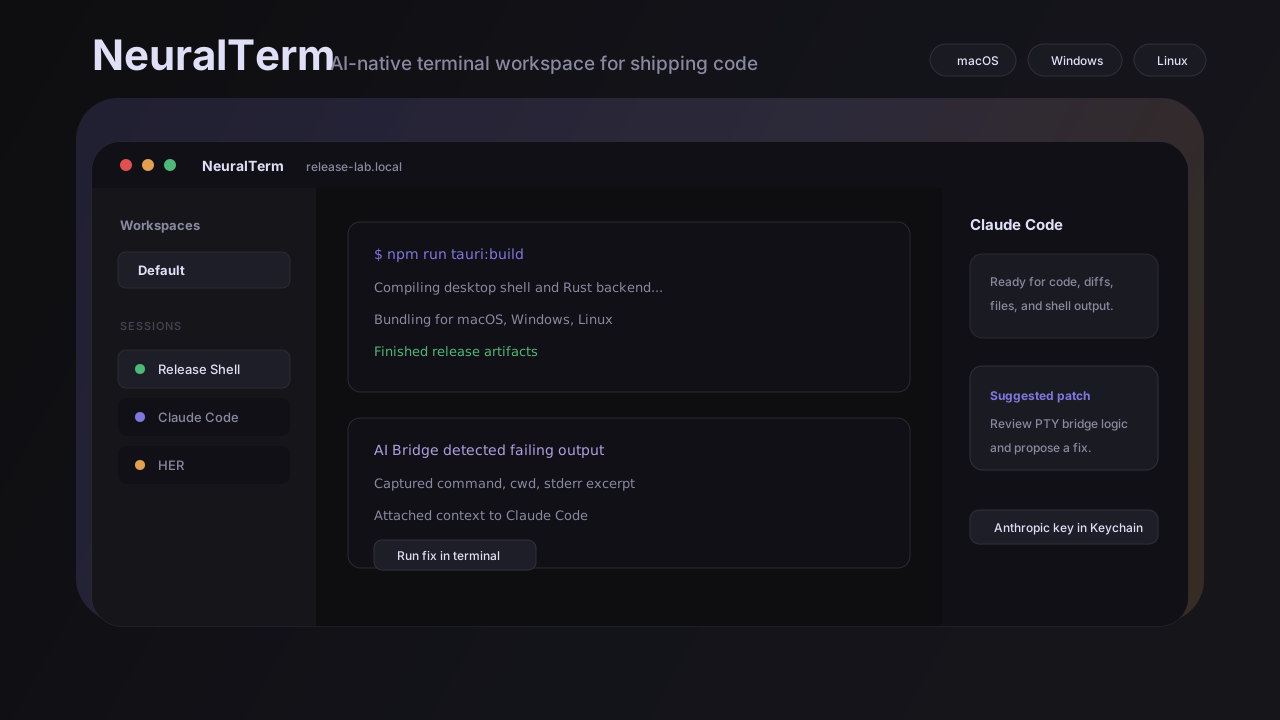
PNGUN.
Desktop app · Shipped
// An AI-native terminal multiplexer — real PTY shells, split panes, Claude Code sessions, and an AI Bridge that watches your terminal output and hands errors directly to an AI session.
// Impact at a glance
- - Real PTY shells + split panes + workspaces in a single Tauri desktop surface
- - AI Bridge auto-detects tracebacks, panics, and failed commands and routes context to Claude Code
- - v0.2.2 released for macOS (arm64 + x64), Windows, and Linux via GitHub Actions pipeline
// summary
PNGUN is a Tauri desktop app for macOS, Windows, and Linux. It combines a full terminal workspace — real PTY shells, split panes, workspaces, and tabs — with first-class Claude Code and AI sessions in the same surface. The AI Bridge watches terminal output for errors and hands captured context straight to an AI session for repair.
// problem
Terminal work, build errors, and AI assistance live in separate windows. Context is lost every time you copy an error to paste into a chat, and the repair loop breaks your flow.
// what I built
A single desktop surface with PTY-backed shell sessions, resizable split panes, persistent workspaces, and Claude Code sessions side-by-side. The AI Bridge monitors output for tracebacks, panics, and failed commands, then offers to open or reuse a Claude session with that context already attached.
// core experience
- - Real shell sessions via Rust portable-pty, rendered in xterm.js with search, fit, and web-link addons
- - Split right and split down controls, command palette, drag-reorderable tabs, and a collapsible sidebar
- - AI Bridge: watches for tracebacks, panics, npm errors, and fatal exits — one click to hand context to Claude Code
// architecture
- - Tauri v2 + Rust backend for PTY management, SQLite session storage, and OS keychain for API keys
- - React 18 + TypeScript + Vite frontend; Zustand for sessions, workspaces, splits, and bridge state
- - GitHub Actions release pipeline building signed assets for macOS (arm64 + x64), Windows, and Linux
// ai involvement
Claude Code sessions and HER sessions live natively in the app model alongside shell sessions. The AI Bridge is the core product innovation: it turns raw terminal output into structured context that an AI session can act on without manual copy-paste.
// challenges
- - Cross-platform PTY handling in Rust — resize, kill, and CWD detection behave differently per OS
- - Keeping AI session state consistent when the user switches workspaces or closes and reopens panes
- - Release automation for six platform targets (macOS arm64/x64, Windows MSI/NSIS, Linux AppImage/deb/rpm) from a single tag
// outcome
v0.2.2 shipped across macOS, Windows, and Linux. Full terminal workspace, AI Bridge, Claude Code and HER sessions, command palette, and iCloud-style keychain-backed key storage.
// why this matters
It shows I can ship a complex, cross-platform native app with a real Rust systems backend, an AI-native UX layer, and automated multi-platform releases — not just a web app in an Electron frame.
// reflection
The AI Bridge is where the product earns its keep. A terminal that just embeds a chat window is a distraction. A terminal that watches your output and hands you the right context at the right moment is a tool.
// capabilities
// links